
Test Design
As you are designing tests, you will want to make sure you are assessing the intended level of learning. The most commonly used question types are multiple choice, multiple answer, matching, and true/false. These types of questions have the benefit of being graded by the system and providing the learner with immediate feedback. However, these types of question-and-answer assessments are inherently limited in the depth of understanding they can assess and typically only measure pure content knowledge. Therefore, in your course, you should try to include other kinds of assessments that evaluate the application of knowledge. This could be accomplished through the use of essay questions
As part of your design, you may present multimedia to your learners. You can upload files to the test (e.g., with the instructions) or within individual test questions. When possible, your uploaded files (e.g., images) will be rendered in the browser for viewing; otherwise, the file will be represented by an icon and will need to be downloaded for viewing.
Test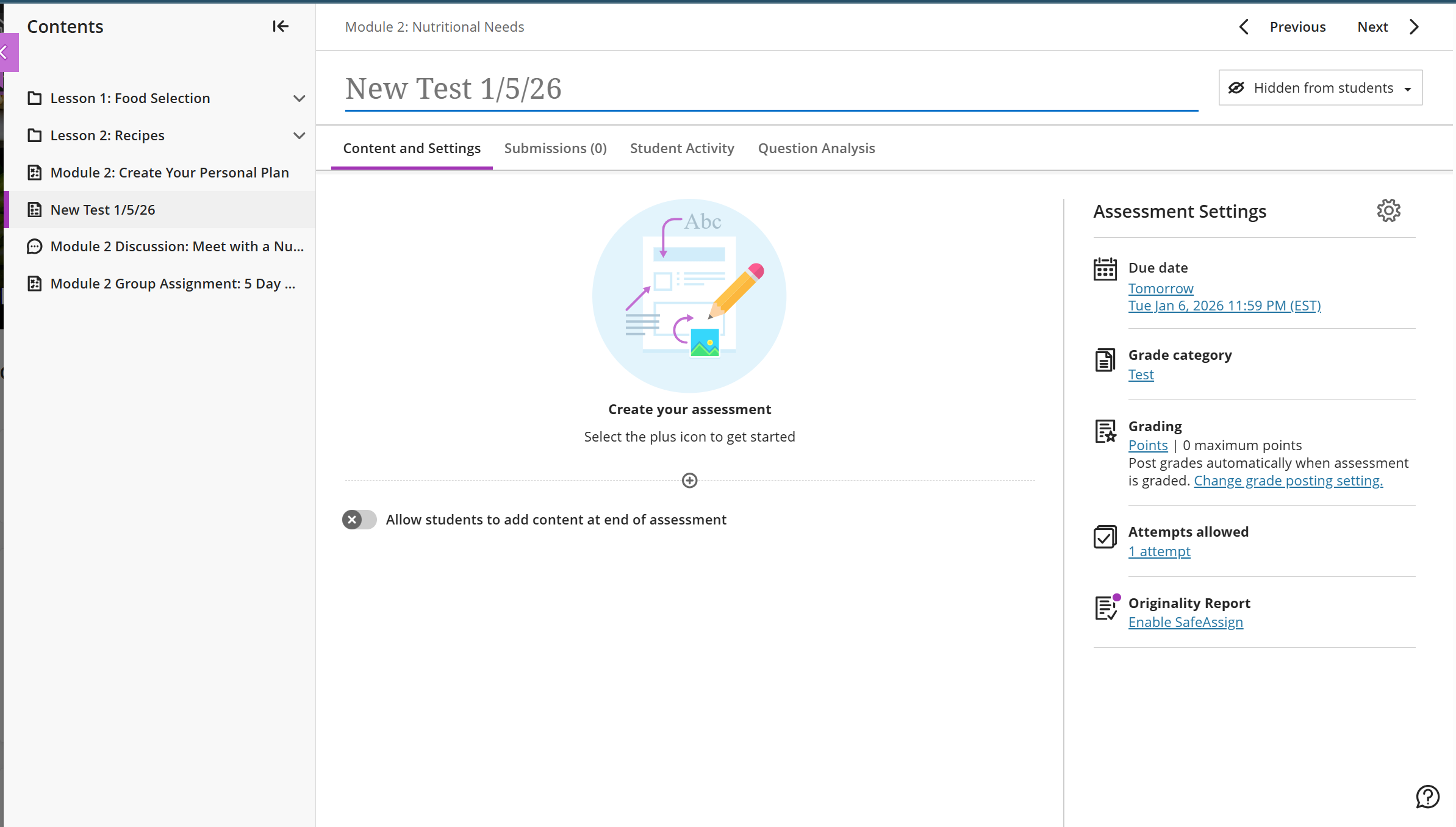
As you are designing tests, you will want to make sure you are assessing the intended level of learning.
- Name the test.
- Add the directions, images, and content such as type of questions to the test from the Content and Settings box.
- Adjust the test settings (to access use the gear icon): due date, grade category, grading, attempts allowed.
- Enable Safe Assign. (Optional)
Comments
0 comments
Article is closed for comments.