
Sometimes your learners may ask you where they stand in the class. You can view an individual learner's progress by entering the course gradebook and select the student you want to view.
View from an Assignment or Page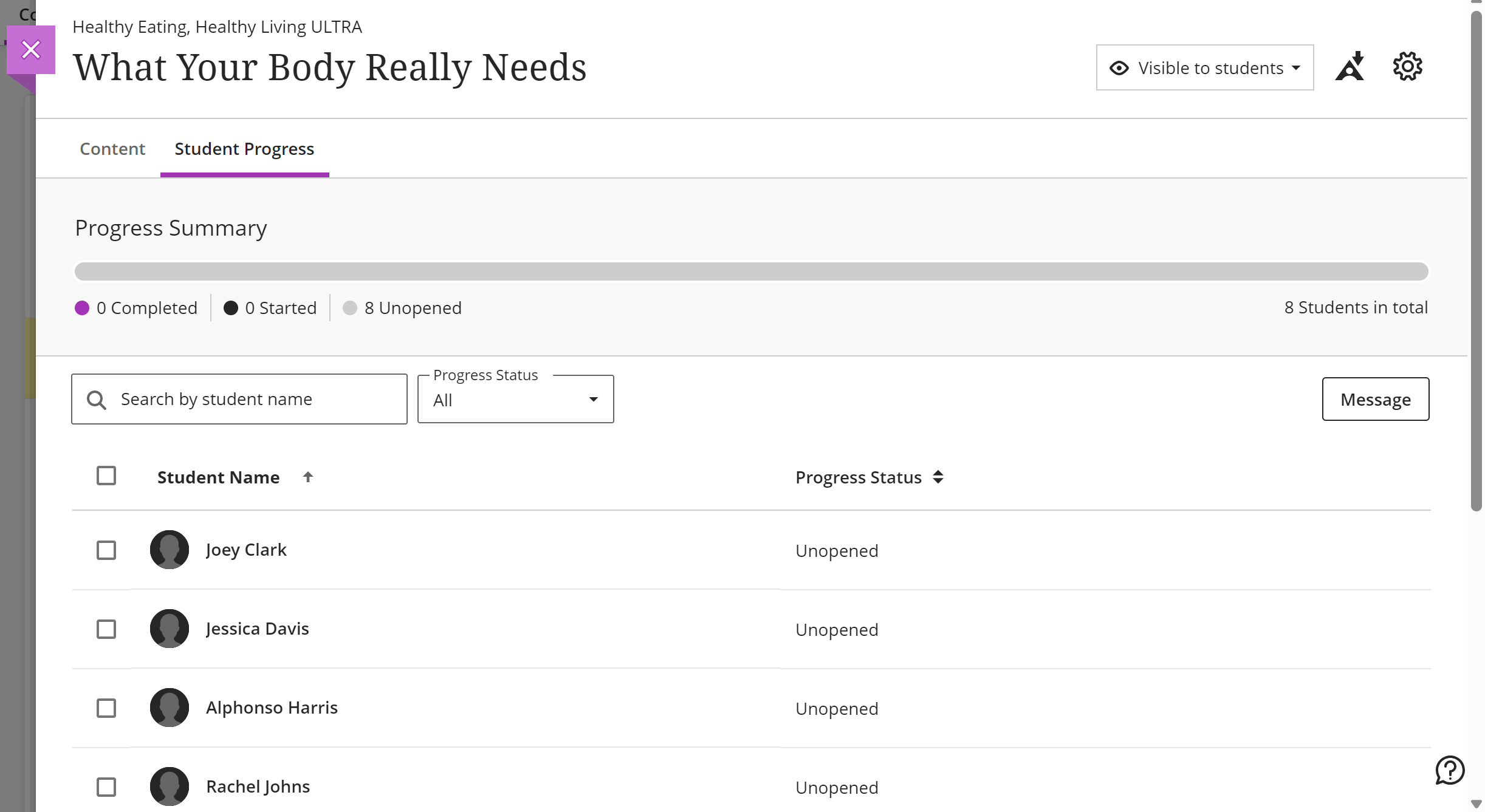
Besides the visual cues for your learners, you can also quickly ascertain whether or not your learners have accessed any page, link or activity on Blackboard. Select any page or assessment. The resulting page will have a Student Progress tab. This page will show you whether or not a student has accessed the page and/or completed the accompanying activity. You can also send messages to students from this page.
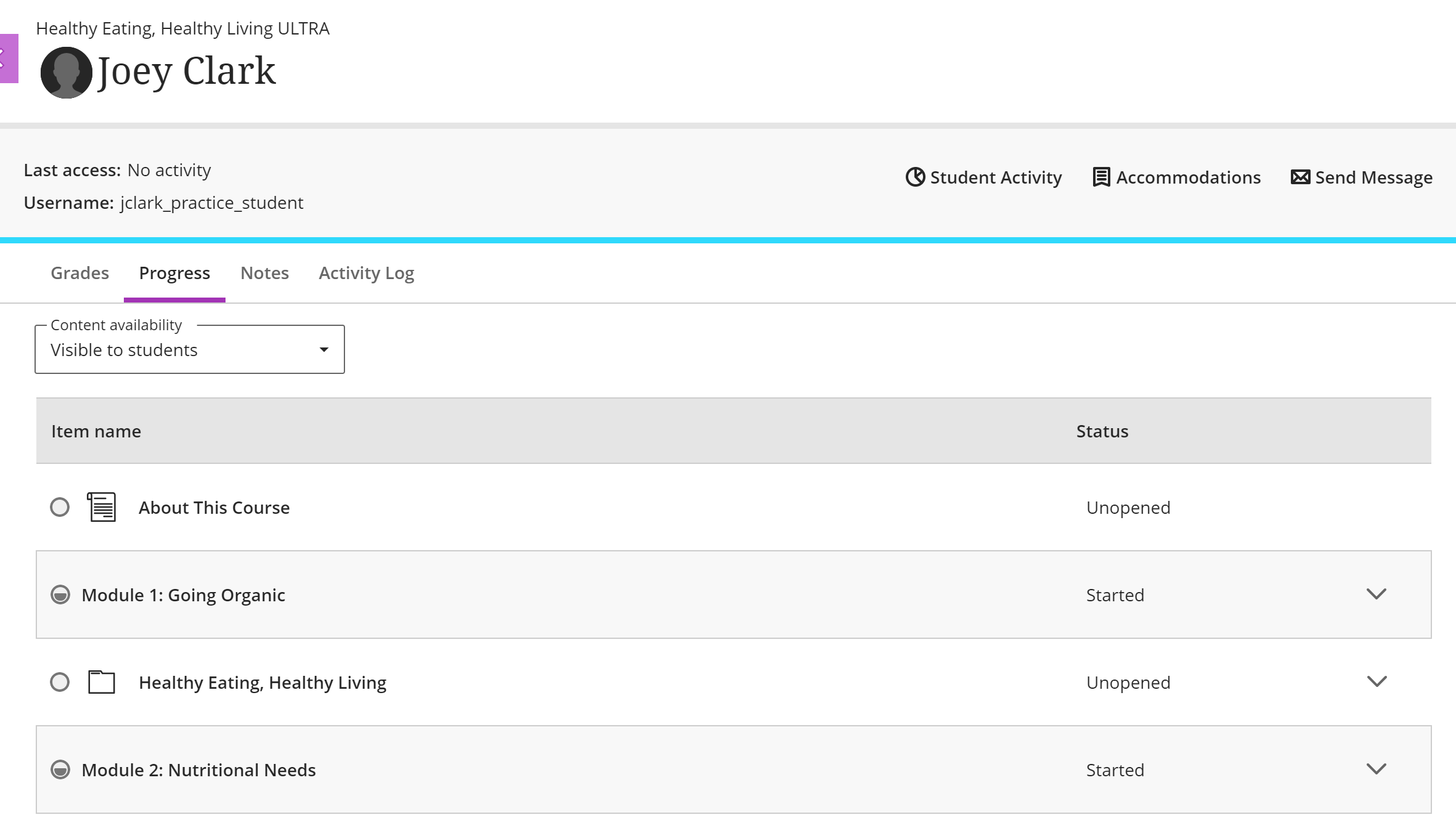 View from the Gradebook
At the top of the page, you will find three or four tabs. One of the tabs is labelled Progress. Here you can see all completed and outstanding tasks for each student.
View from Course Activity Page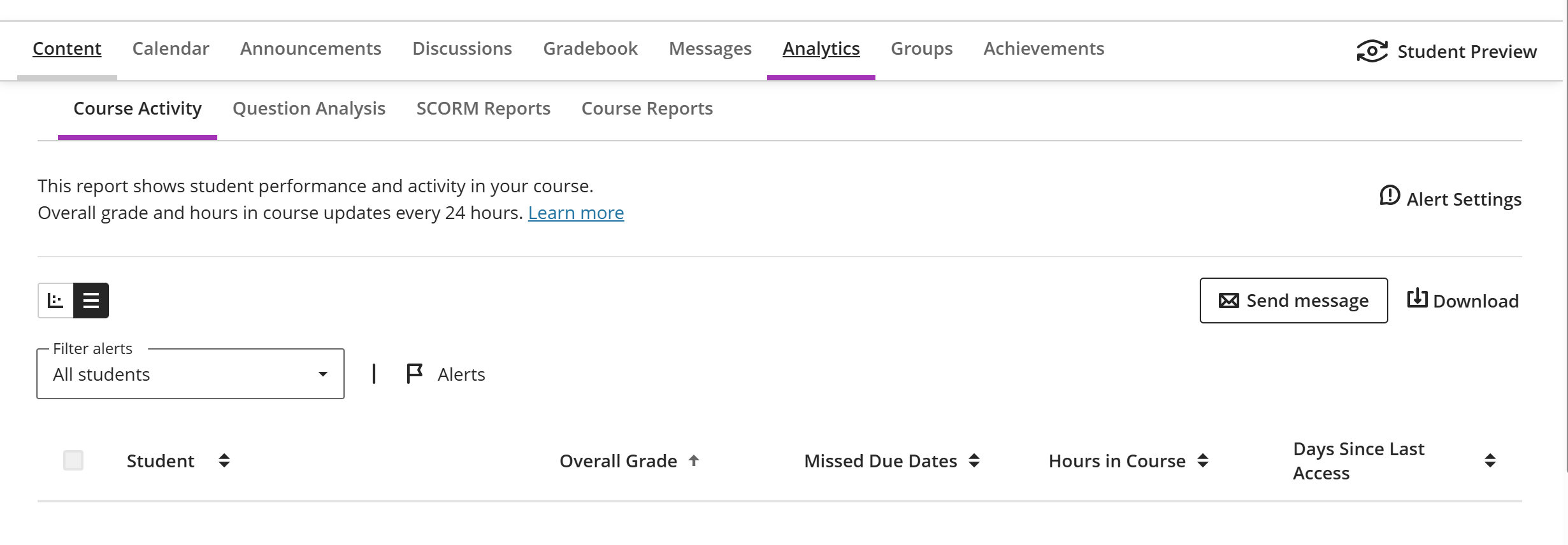
From the Analytics tab, select the Course Activity tab to view your learners' progress. You can also set Alert Settings, so you can identify at-risk learners. You can also directly send a message to a student or the group from this page.
Comments
0 comments
Article is closed for comments.